



Reports
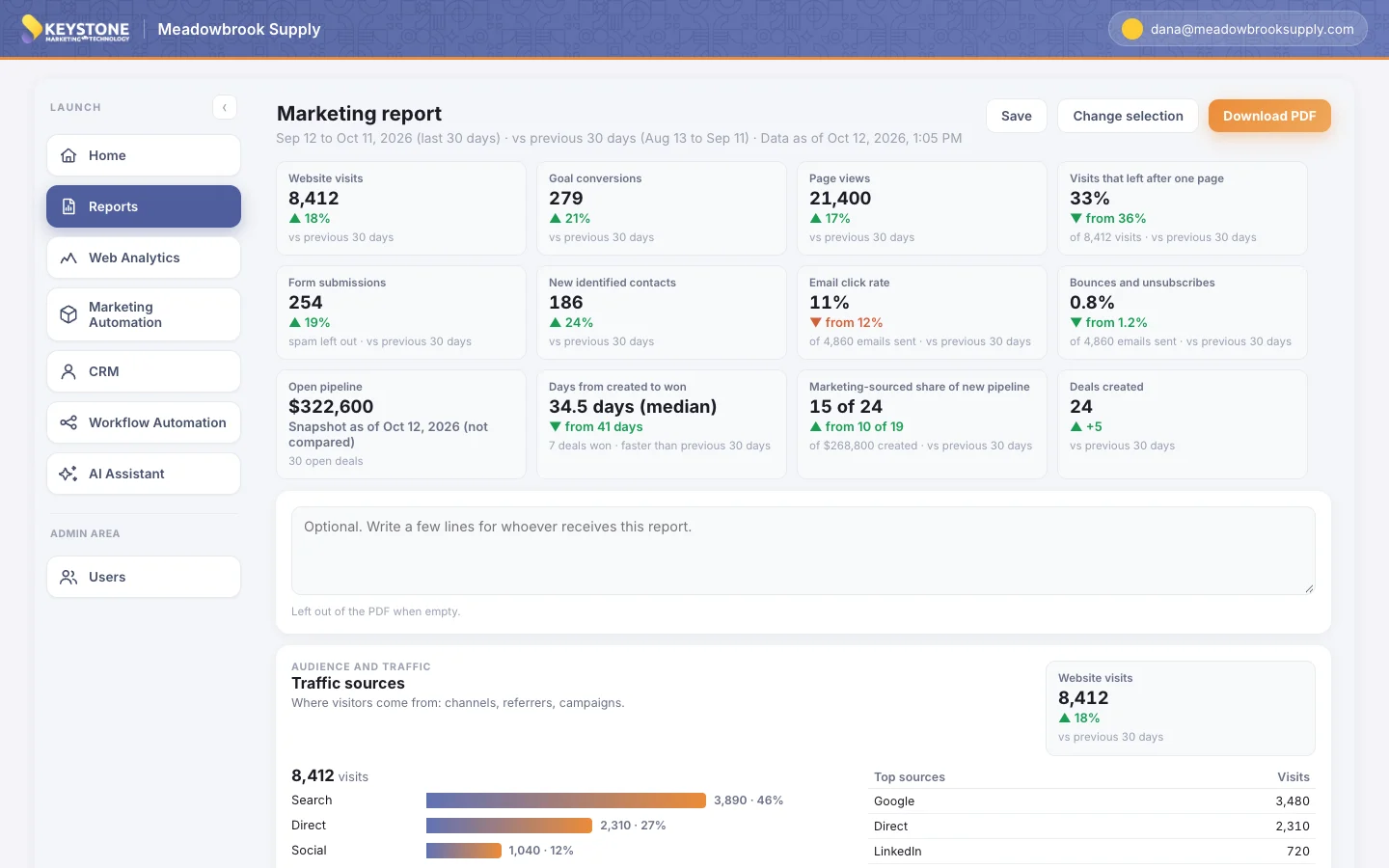
One report across your whole funnel.
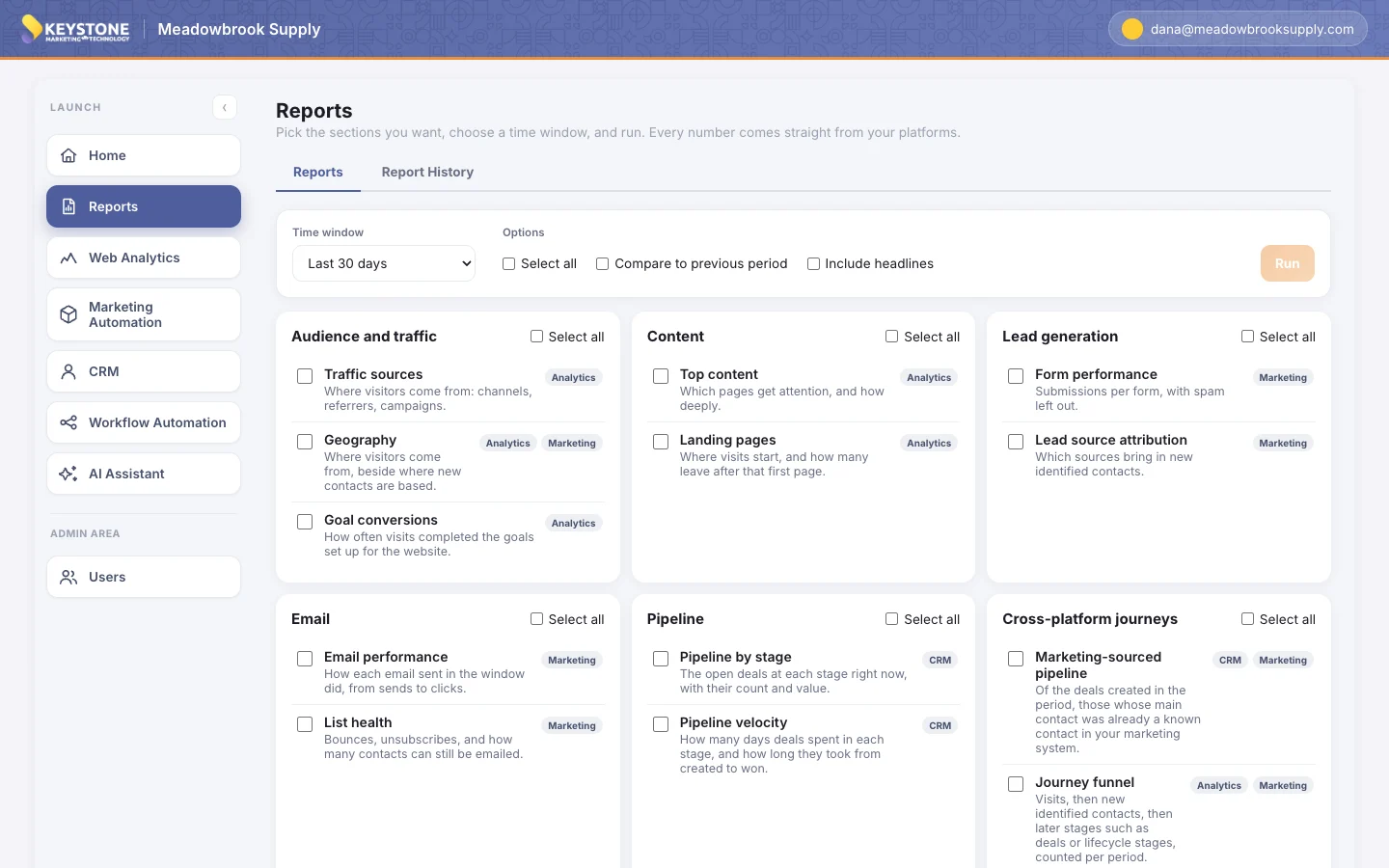
Pick what you want to know, choose a time window, and run. Every number comes straight from your KMT Stack: analytics, marketing automation, and CRM.
01
Start with the question, not the tool.
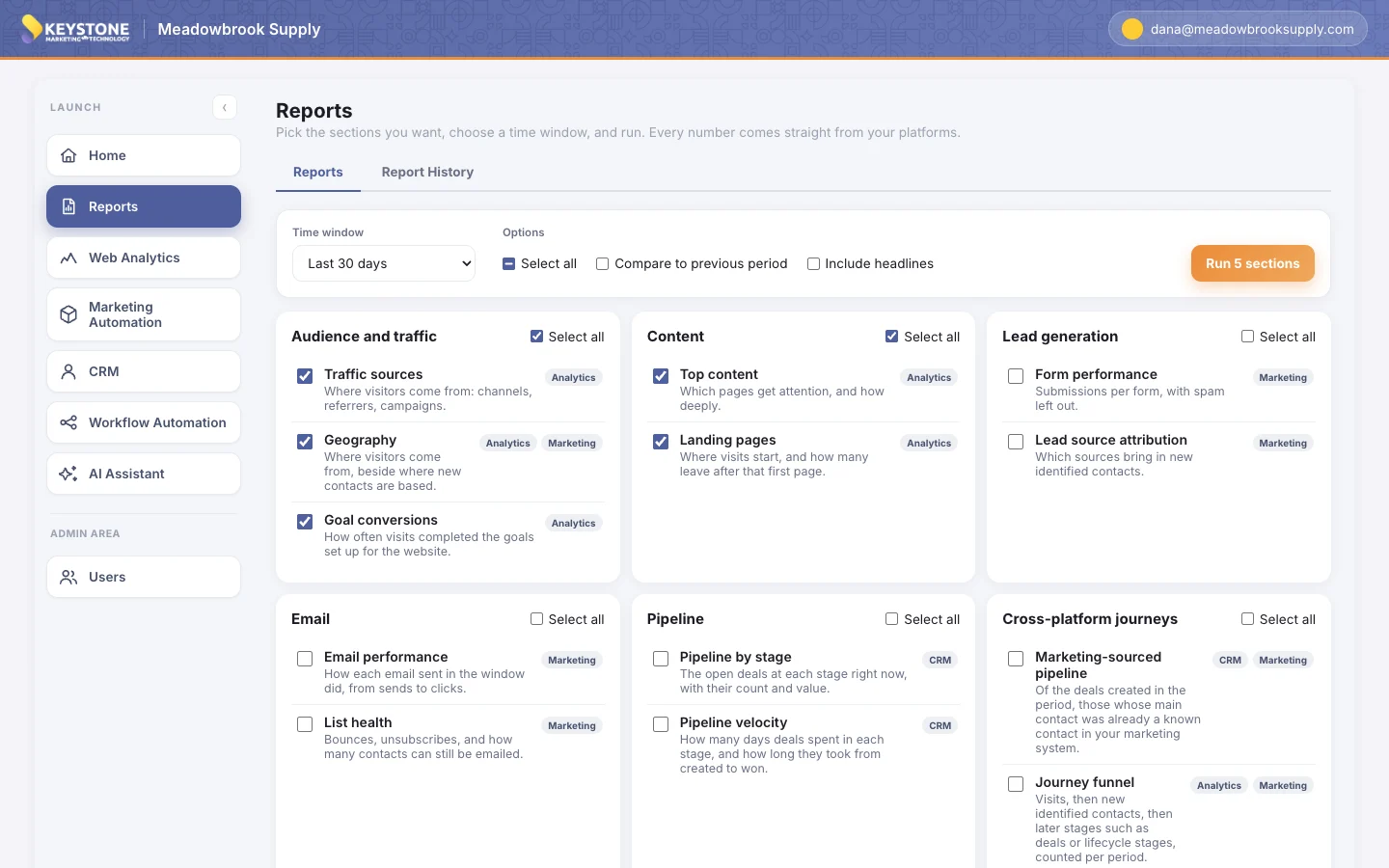
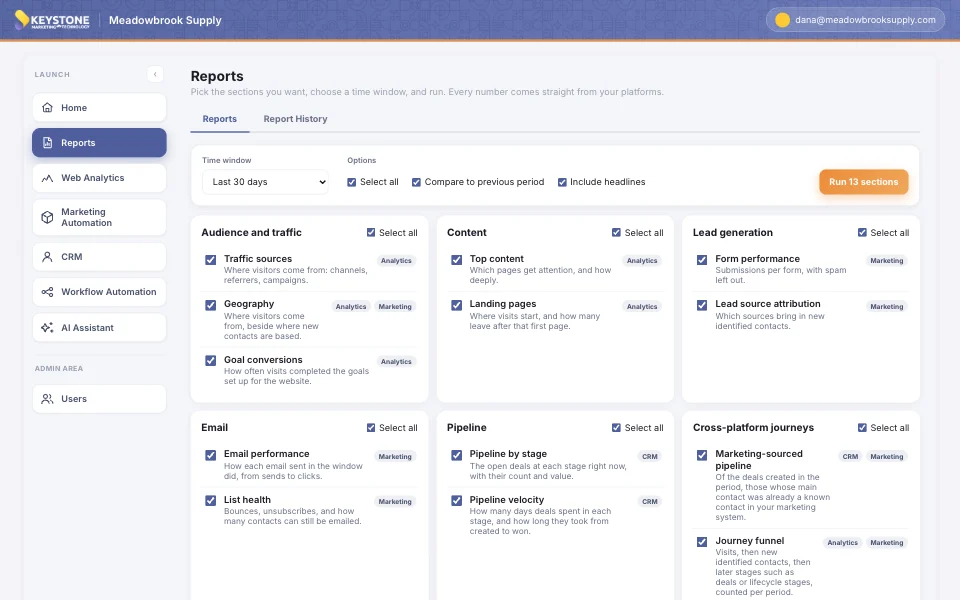
Thirteen ready-made reports cover your website, your leads, your email and your pipeline, grouped the way a marketer thinks: audience, content, lead generation, email, pipeline, and the journeys between them.
Each one shows where its numbers come from, so nobody has to remember which platform holds what.
02
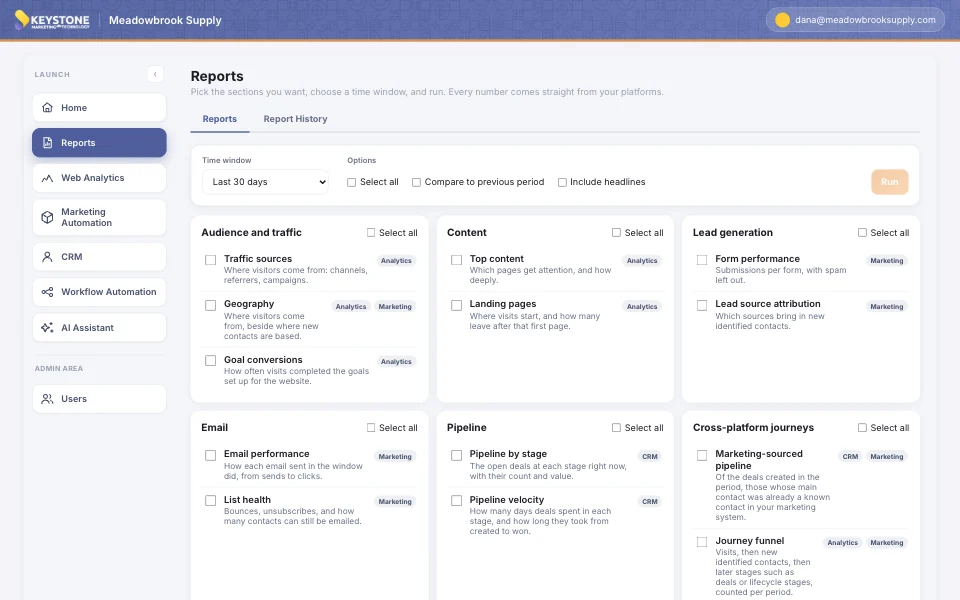
Pick a window. Compare it with the last one.
Yesterday, the last 7, 30, 90 or 180 days, or last calendar month. Every window ends yesterday, so two people who run the same report on the same day see the same numbers.
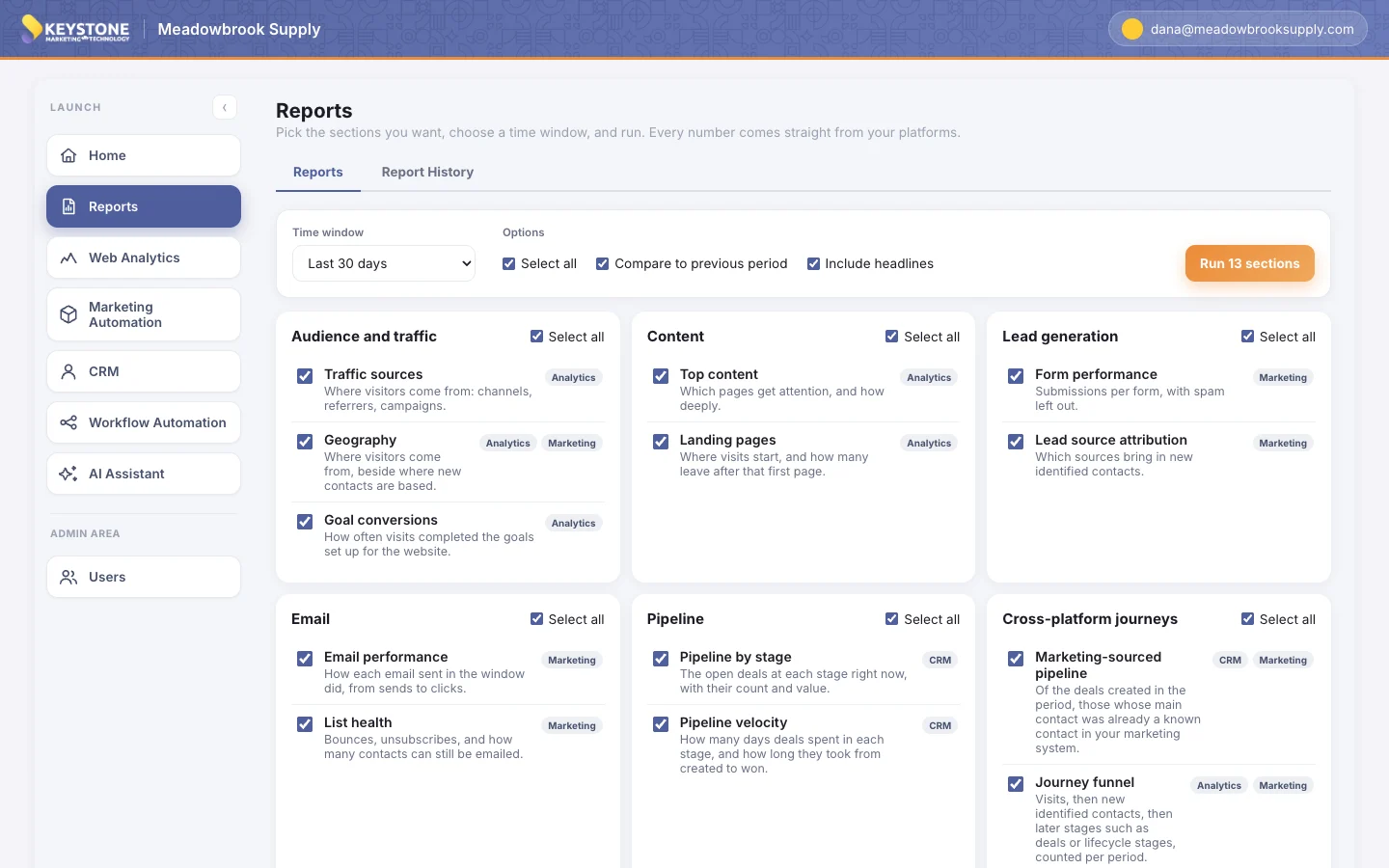
Turn on the comparison and the headlines, and the report opens with one number per section and an arrow showing which way it moved.
03
Every number from your platforms, in one place.
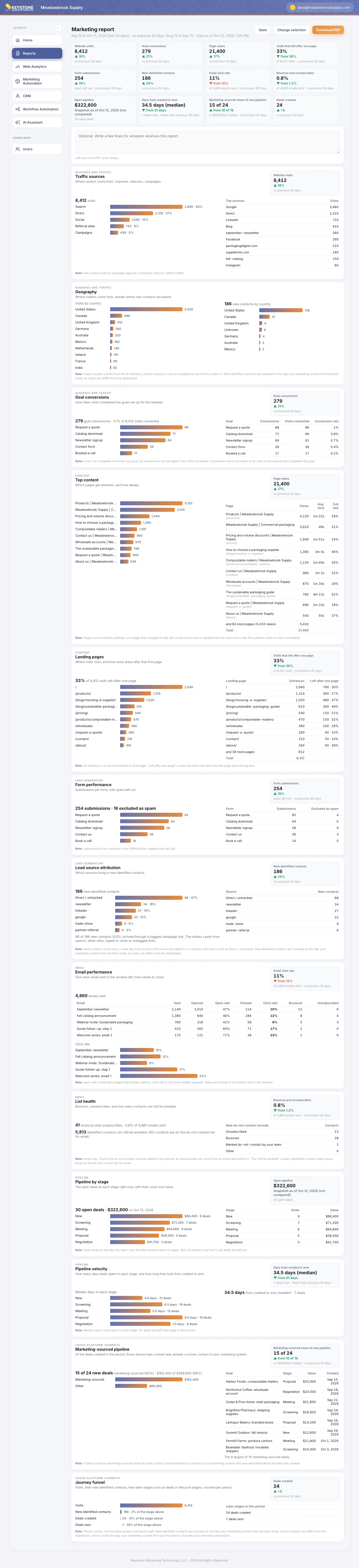
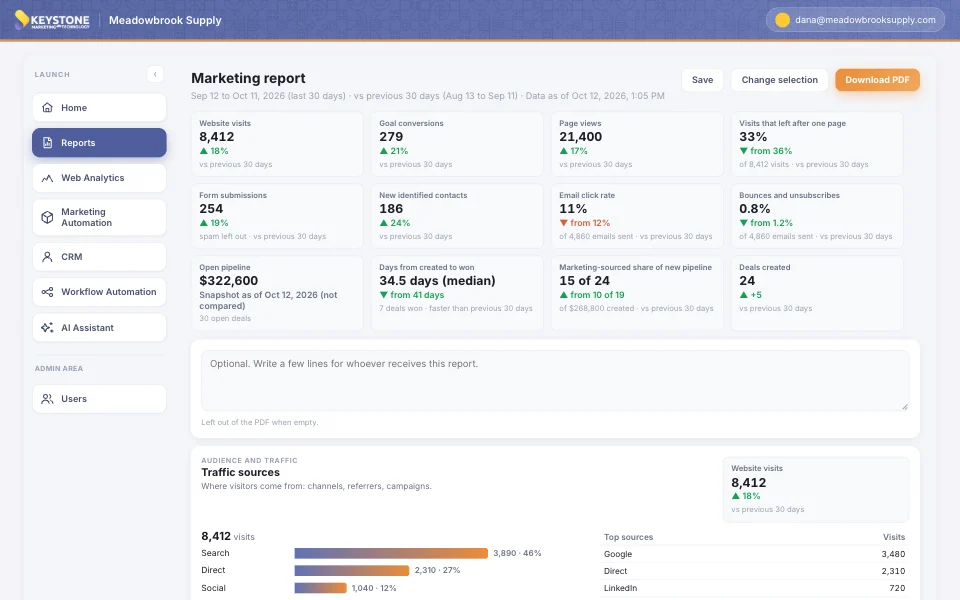
Traffic, top pages, goals, forms, lead sources, email, list health and pipeline, each with a chart, the table behind it, and a plain-English note on how it was counted.
The numbers are read from your analytics, marketing automation and CRM when you run the report. Nothing is estimated, and nobody copies anything into a spreadsheet first.
04
The numbers no single tool can give you.
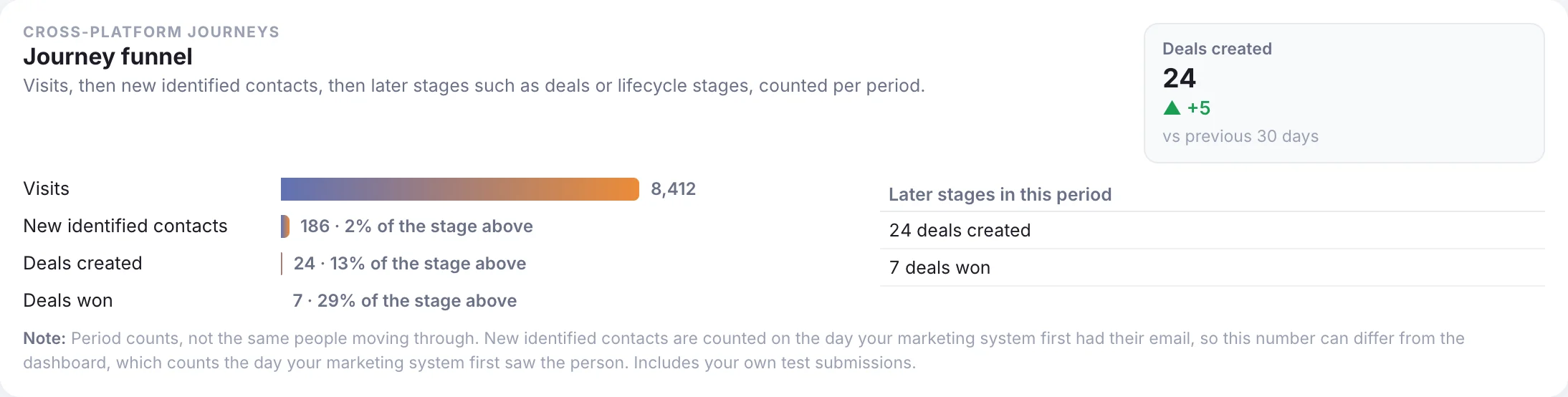
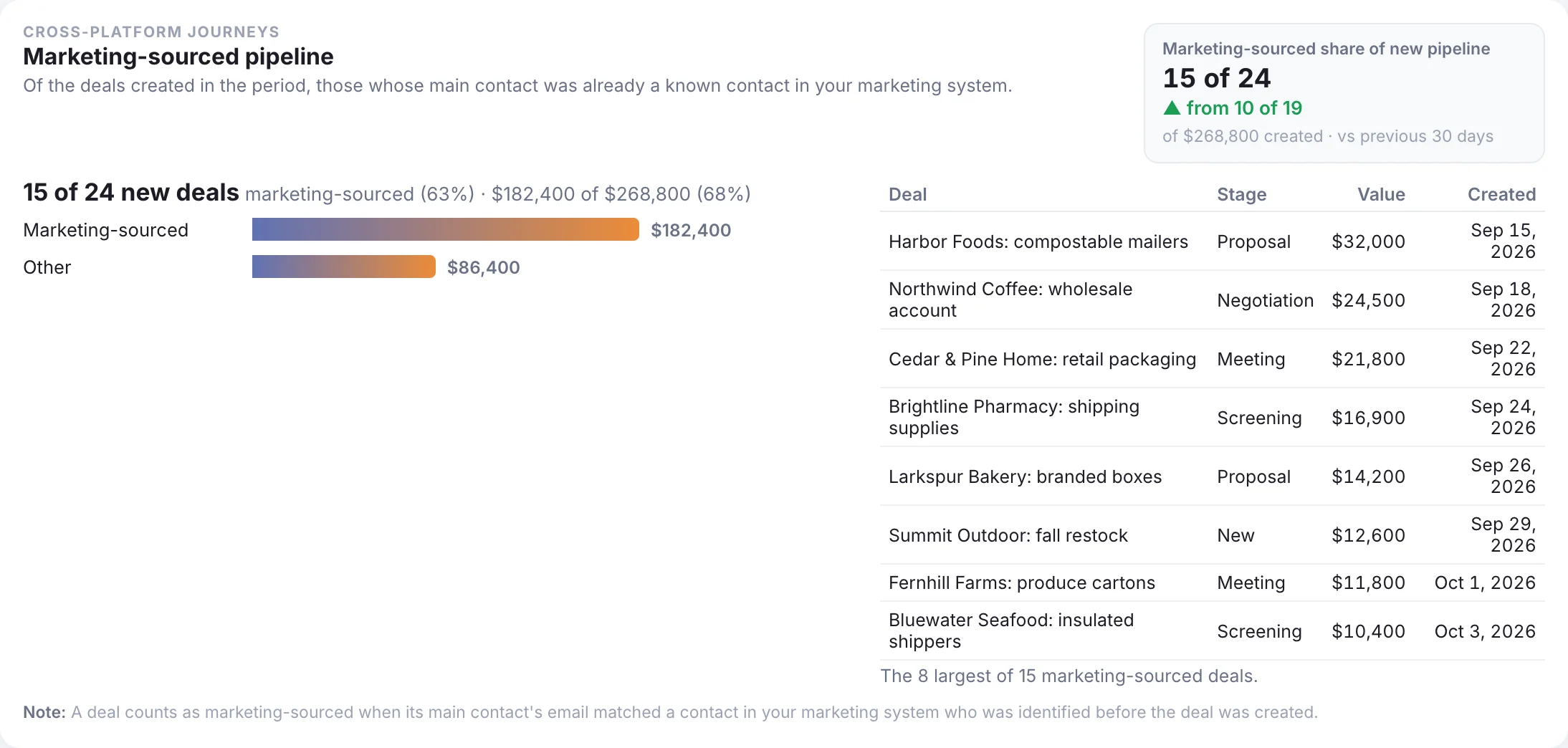
How much of this month’s new pipeline came from people your marketing already knew. Visits, new contacts, deals created and deals won for the same period, side by side, so you can see how wide each step of your funnel is.
Your analytics, marketing automation and CRM each hold part of the answer. Because the KMT Stack connects them, one report puts the parts together.
05
Save it for the team, or take it to the meeting.
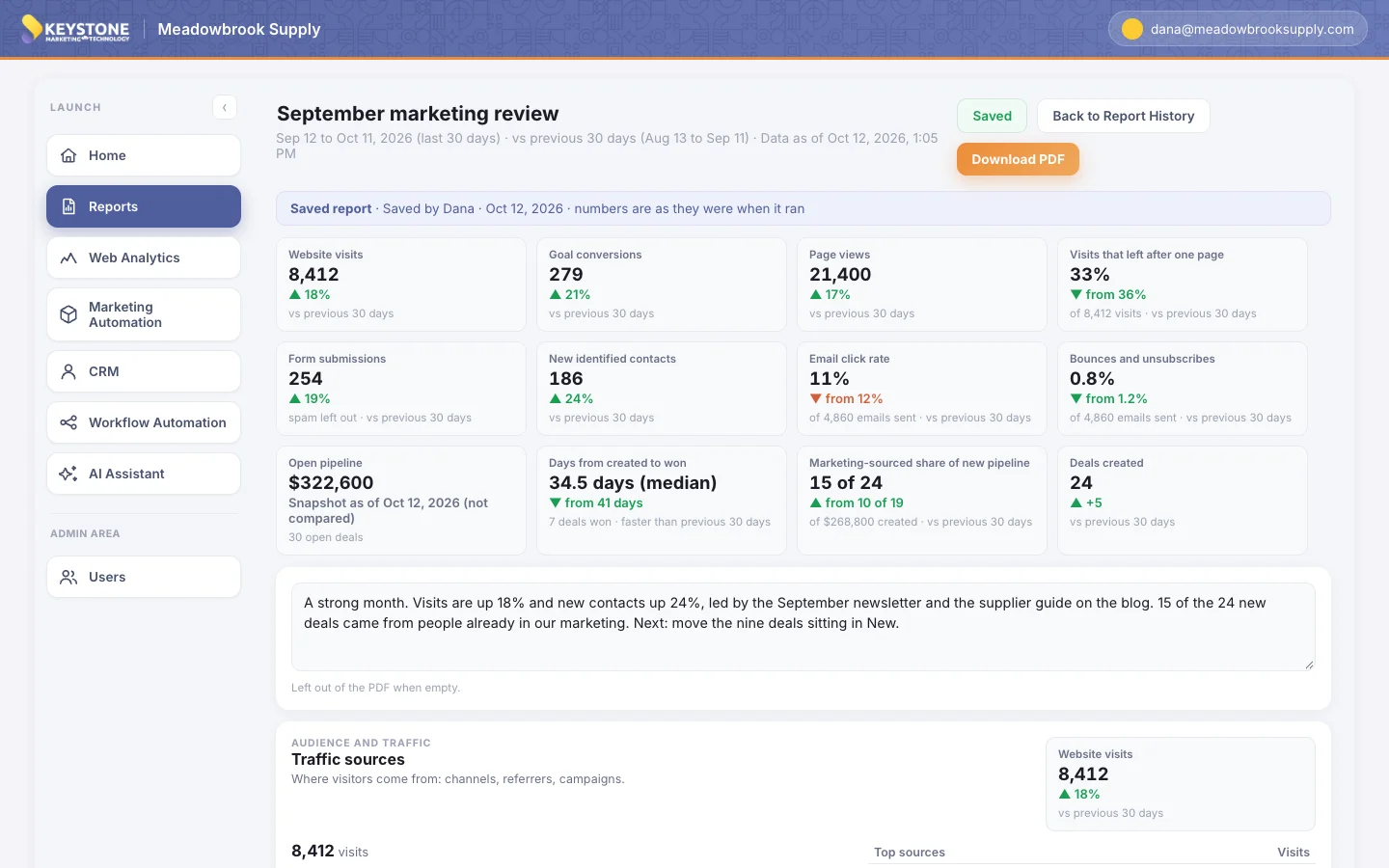
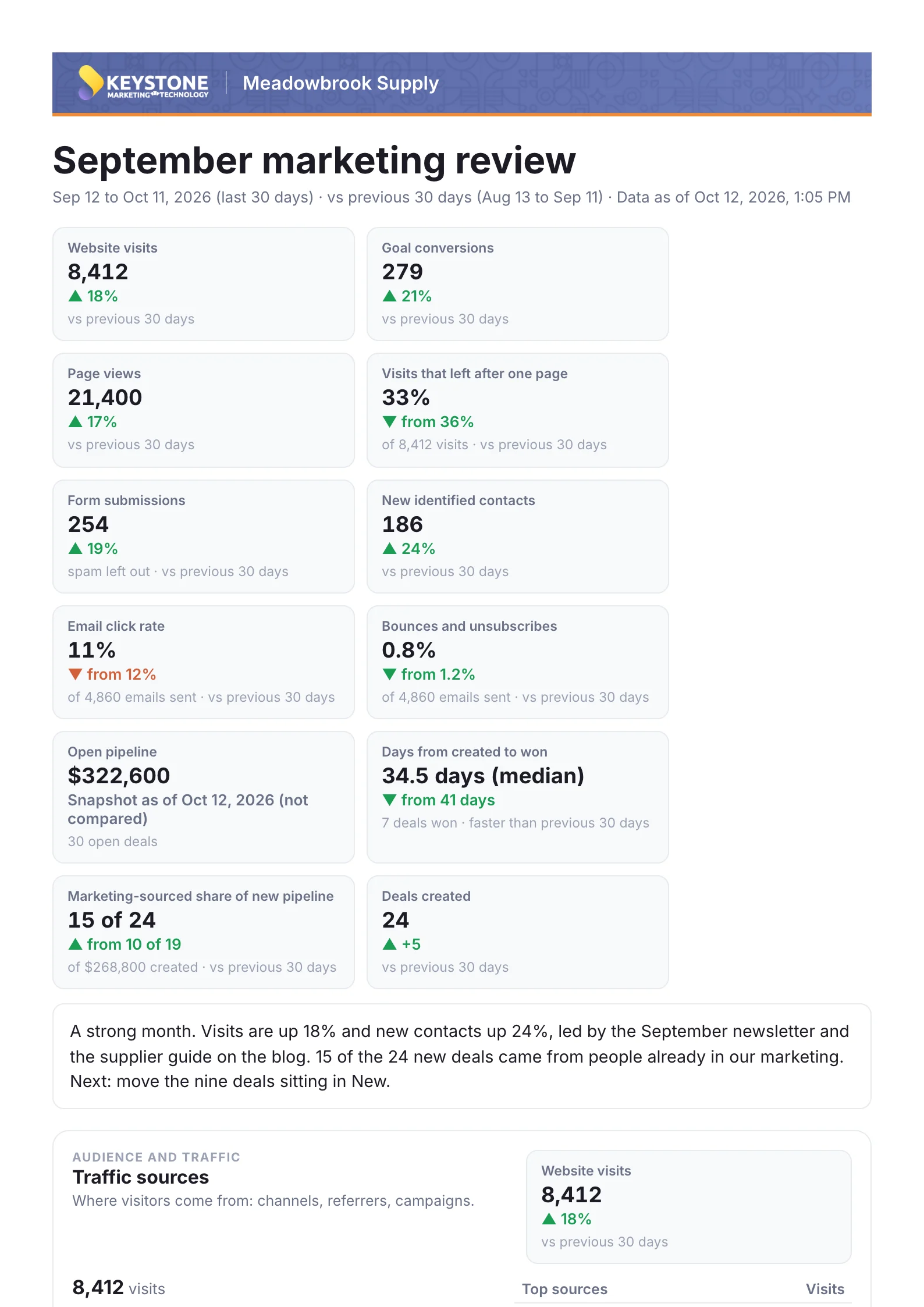
Give the report a title and a few lines of summary for whoever reads it. Save it, and it joins your team’s Report History, its numbers kept exactly as they were on the day it ran.
Or download it as a PDF for the board pack, the monthly review, or the owner who never logs in.
Sample data for a fictional company.
Frequently Asked Questions
What reports are included?
Thirteen, in six groups: traffic sources, geography and goal conversions; top content and landing pages; form performance and lead source attribution; email performance and list health; pipeline by stage and pipeline velocity; and two that cross platforms, marketing-sourced pipeline and the journey funnel. Run any of them on their own or all of them together.
Where do the numbers come from?
Straight from your KMT Stack: its analytics, marketing automation and CRM, read at the moment you run the report. Each report shows which platform it draws on and carries a short note on how its numbers were counted.
Can we compare one period with another?
Yes. Choose a window (yesterday, the last 7, 30, 90 or 180 days, or last calendar month) and turn on the comparison with the previous period. Each report’s headline number then shows which way it moved. A comparison with the same period last year appears once your platform has a year of history.
What does a report tell us that our individual tools do not?
How much of your new pipeline came from people your marketing already knew, and how many visits, new contacts, deals created and deals won you had in the same period, side by side. The KMT Stack’s analytics, marketing automation and CRM each hold part of that answer, and because they are connected, one report puts the parts together.
Can we save reports and share them?
Save a report and it joins Report History, which your whole team can open, with its numbers kept exactly as they were on the day it ran. Any report can also be downloaded as a PDF, with your title and summary on the first page, for a meeting or for someone who does not log in.
Who on our team can run reports?
Everyone with a login. Admins, marketers and analysts can all run reports, open saved ones and download PDFs.
Is this the same as the dashboard?
No. The dashboard is the 30-day pulse you see when you log in, updated nightly. Reports answer the questions you choose, over the window you choose, with the detail behind every number.
Does it cost extra?
No. Reports are part of the KMT Stack and included in the one monthly fee, with no add-on to buy.
Where does our data live?
On a dedicated server in Europe, owned and run by KMT. No other company’s data is on it, your data is never used to train anyone’s AI models, and a data processing agreement is available.
See your whole funnel in one report.
One platform, set up with your team, at one price for every contact.
See demoA walk through the platform, and a way to reach us with your questions.